


I recently got back into programming by building Android apps. If you’ve been considering doing the same, then learn from these five mistakes that I made so you don’t have to experience them too.
It’s Better to Use Native Code Than Go Cross-Platform
When I started to code Android apps, I thought, “Cross-platform code is great! I can code once and use it everywhere.” While that is true, and cross-platform coding has come a long way since I last tried it in the early 2010s, it’s still nowhere near as native as, well, native.
I first started building my app in React Native, which is among the most native of cross-platform languages. I was surprised with how smoothly React Native compiled for Android initially. I had a working app up and running in a few hours.
However, it just wasn’t as good as a properly native app, so I decided to switch to Jetpack Compose (which is built on Kotlin). Compose is the native language for Android apps, so everything truly does feel like it was built for the operating system.
The downside is, when I go to build the app for iOS, macOS, Windows, and the web, I’m going to have to re-write it for each platform. This will take much more time, and there will be more code bases for me to maintain, but each app will feel like it was designed for that platform.
As someone who is just building apps for fun, I’m okay with taking on that responsibility, and I wish I would have just started with native code.
Developing on a Device Is Better Than an Emulator
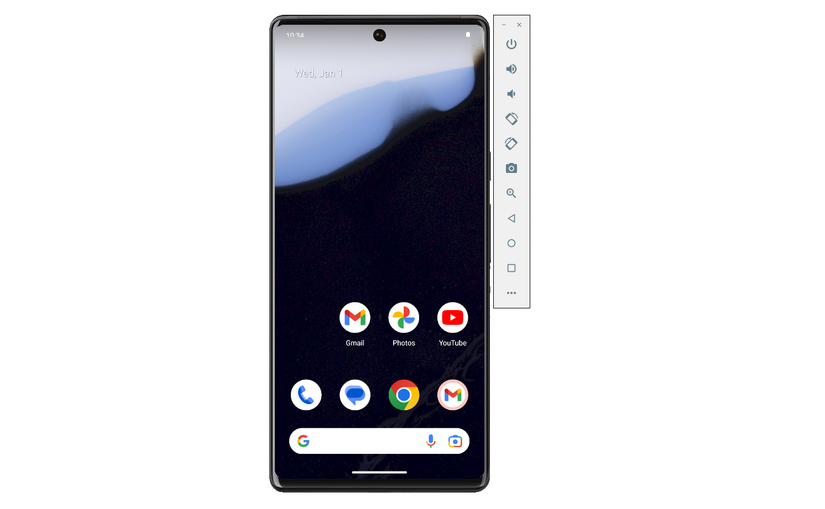
Emulators are great. You’re essentially running a virtual machine of whatever device you’re developing for, with instant deployment and no cables needed. Emulators aren’t always the best option, though.
The app I’m building will have user accounts that tie into SSO (single sign-on) methods like Google and Apple. While I could take the time to log into my Google account on the emulator, it’s just easier to deploy it to my phone.
Touch events work properly (as I’m touching the screen instead of clicking a mouse), scrolling is native (as it’s with a finger and not a mouse), and all my existing accounts are right there ready for me to access.
For quick tests of things like app layout or how something looks, I’ll often use an emulator. But for actual core functionality testing, a device is so much better.
Switching Database Backends Is Hard

When I started out building my app, I went with the first reputable database backend I found: Google’s Firebase. Firebase is awesome, and I was up and running with it in no time at all. However, I eventually learned that Firebase is what’s called NoSQL, meaning it’s non-structured data.
The app I’m building relies on structured data (generated invoices, quotes, and customer information), so that simply wouldn’t work for me. Thankfully, I found this out fairly early on in the development process, so the only data I was storing was my own.
I then switched to Supabase, which offers proper data structuring along with all the other great features of Firebase (like user accounts, object storage, and more).
The problem is, I had already started to learn the language and functionality of Firebase, and while Supabase is similar, there’s enough of a difference that it took me three times as long to rewire my brain (and code) to switch away from Firebase.
Part of my problem was I started with React Native and Firebase, then switched to Compose and Firebase, then tried to switch to Supabase after that. I eventually scrapped the whole first app I built and started fresh with just Supabase and Compose, and that was much nicer. I just wish I hadn’t lost several days of development in the process.
Vibe Coding Can Be Fun, but Also Super Frustrating
Many years ago, I used to program all day, every day. I built Android ROMs and apps for Windows Phone and webOS. This meant I was constantly in the terminal or my IDE coding away. However, that was well over a decade ago at this point.
So, to get myself back in the saddle, I decided to try out vibe coding. I know the risks that it comes with, but it’s a great way to get started with something you haven’t done in a while.
With the help of ChatGPT and Claude, I was able to get a working app in a few hours—including user accounts, object storage, and more. I was pretty surprised with how fast it all came together.
After vibe coding a few pages and functions, I was diving back in and hand-writing full-on functions. OK, I used Visual Studio Code and Android Studio’s autocomplete, but I was the one telling it what to do!
Overall, vibe coding is an excellent way to fast-prototype things in my app. However, it can also be frustrating. There were multiple times when I was trying to get a specific function to work, and I spent more time in ChatGPT than I would have if I just researched the topic myself. I know this because after wasting a few hours with ChatGPT, I looked it up and solved the problem in 10 minutes.
I am happy with the progress I’ve made, and I definitely wouldn’t have the app where it is today without the help of AI writing some code for me. I just need to learn the balance between having it do the work and doing some of the work myself.
It’s Actually Pretty Easy
As I said, it has been years since I did proper development. I’ve put off building an app for quite some time because I thought it would be too difficult to get started with. I was very wrong.
Within a few hours of starting, I had a fully-fledged app with authentication and a cloud backend. Now, the app didn’t do much more than sign into an account and show a profile picture and name. But that’s a core functionality of the app, and in the past, it would have taken me days or weeks to get to that part.
I don’t have near the time to develop as I’d like, but I really do enjoy it, and I wish I would have started sooner. I’m excited to build the app that I’ve been waiting on for a long time.
Building Android apps doesn’t have to be hard. There’s more documentation out there than ever before now. Plus, with the help of AI like ChatGPT Code or Claude Code, you can definitely get started even if you’ve never programmed before in your life.